Understanding Critical Rendering Path
Introduction
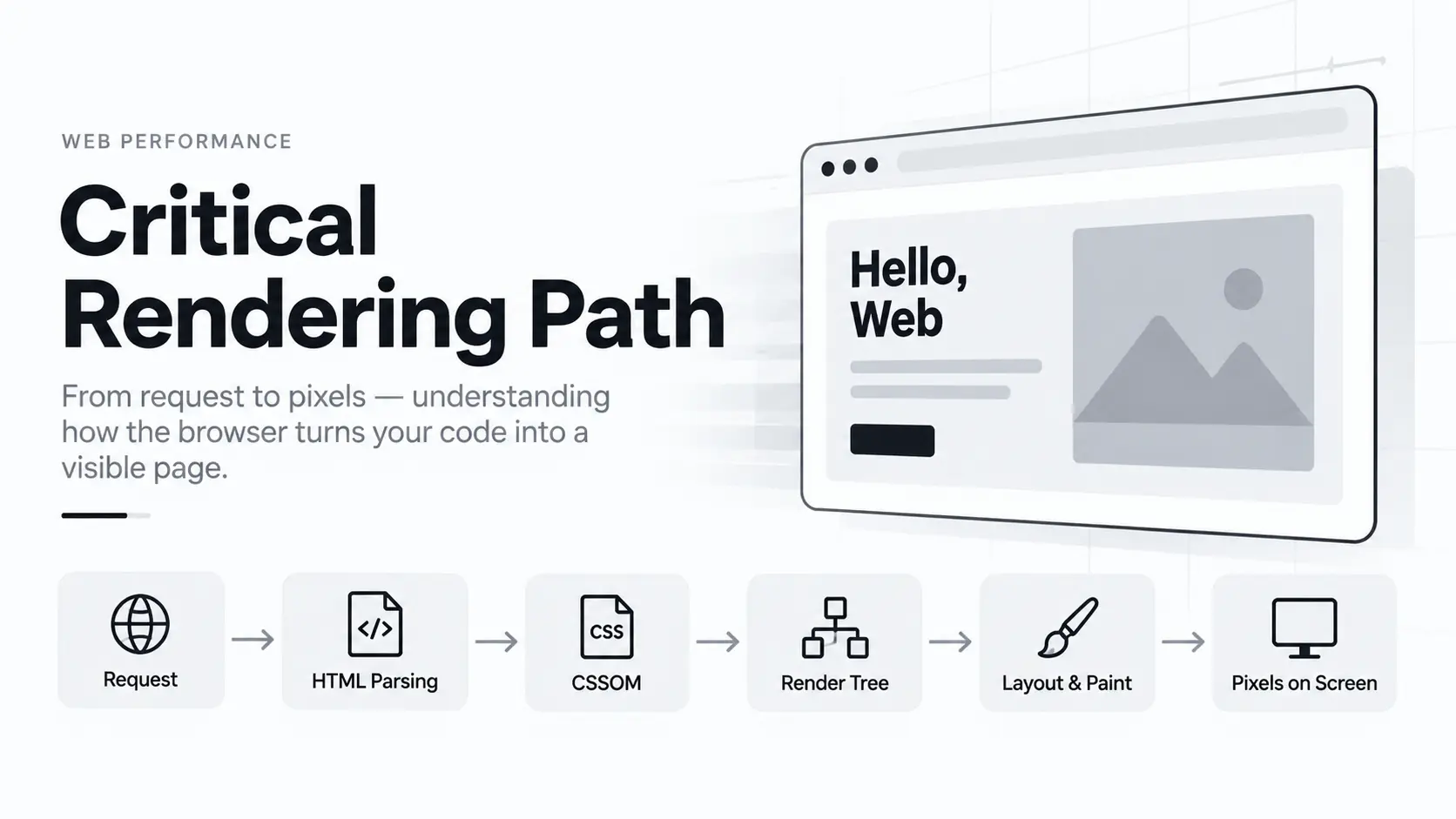
The Critical Rendering Path is the sequence of steps the browser goes through to convert HTML and CSS into pixels on the screen, while accounting for JavaScript that may come along the way.
To render pages, browsers need the HTML document itself as well as the critical resources necessary for rendering that document.
At a high level, this process involves:
- Document Object Model (DOM)
- CSS Object Model (CSSOM)
- Render Tree
- Layout
- Paint and Compositing
Optimising the critical rendering path improves the time to first render.
Understanding CRP
The rendering path involves the following steps:
- Constructing the Document Object Model (DOM) from the HTML.
- Constructing the CSS Object Model (CSSOM) from the CSS.
- Applying any JavaScript that alters the DOM or CSSOM.
- Constructing the render tree from the DOM and CSSOM.
- Performing style and layout operations on the page to see what elements fit where.
- Painting the pixels of the elements in memory.
- Compositing the pixels if any of them overlap.
- Physically draw all the resulting pixels on screen.
Constructing the DOM from HTML
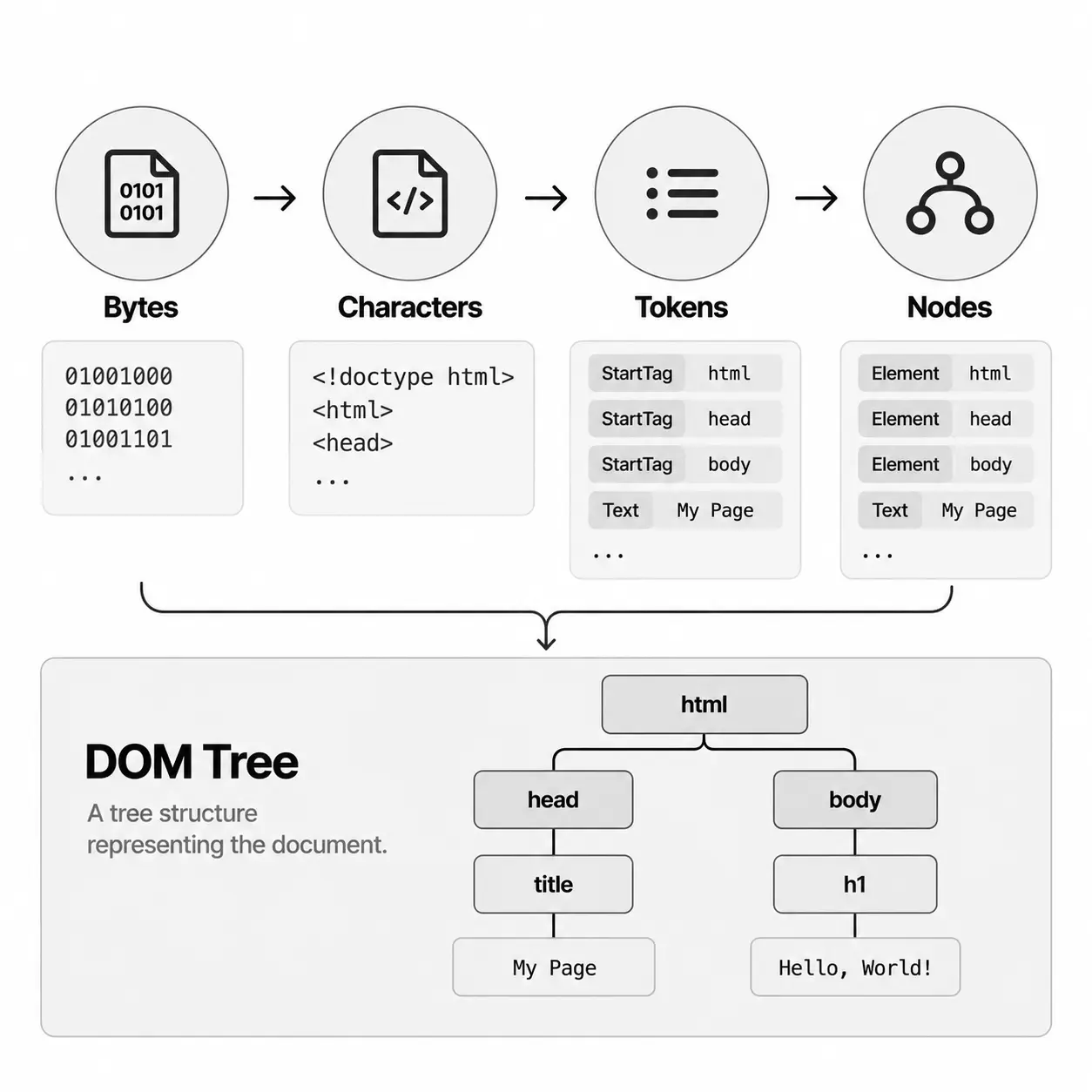
Each time the browser processes the HTML markup, it goes through some defined steps :
- Convert bytes to characters
- Identify tokens
- Convert tokens into nodes
- Build the DOM tree
Consider this HTML code,
<html>
  <head>
    <title>My Page</title>
  </head>
  <body>
    <h1>Hello, World</h1>
  </body>
</html>
The HTML is received as bytes, converted into characters, tokenized, and then used to construct nodes and the DOM tree.
The diagram below illustrates the complete flow of constructing the DOM from the HTML above.
Constructing the CSSOM from CSS
While constructing the DOM, the browser may encounter a <link> element in the document's <head> that references an external stylesheet such as style.css.
CSS is render-blocking by default. Because the browser needs the stylesheet to construct the CSSOM and determine how the page should be rendered, it requests the CSS file as soon as it encounters the <link> element.
Let's assume the stylesheet contains the following:
body {
  color: #111;
  margin: 0;
}
h1 {
  font-size: 2em;
}
.container {
  display: flex
}
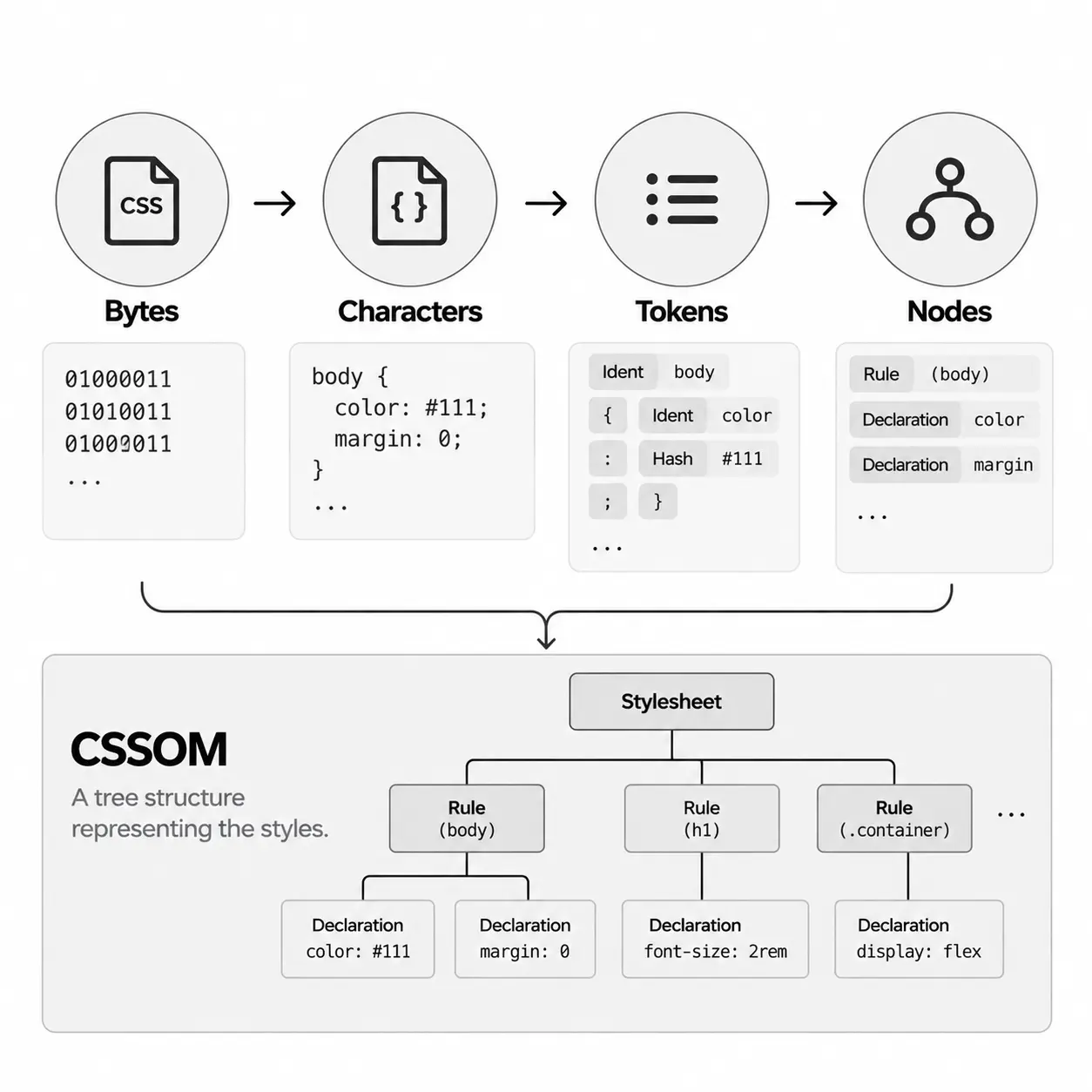
The CSS is received as bytes, converted into characters, and then parsed to construct the CSSOM.
The diagram below illustrates the complete flow of constructing the CSSOM from the CSS above.
Applying JavaScript
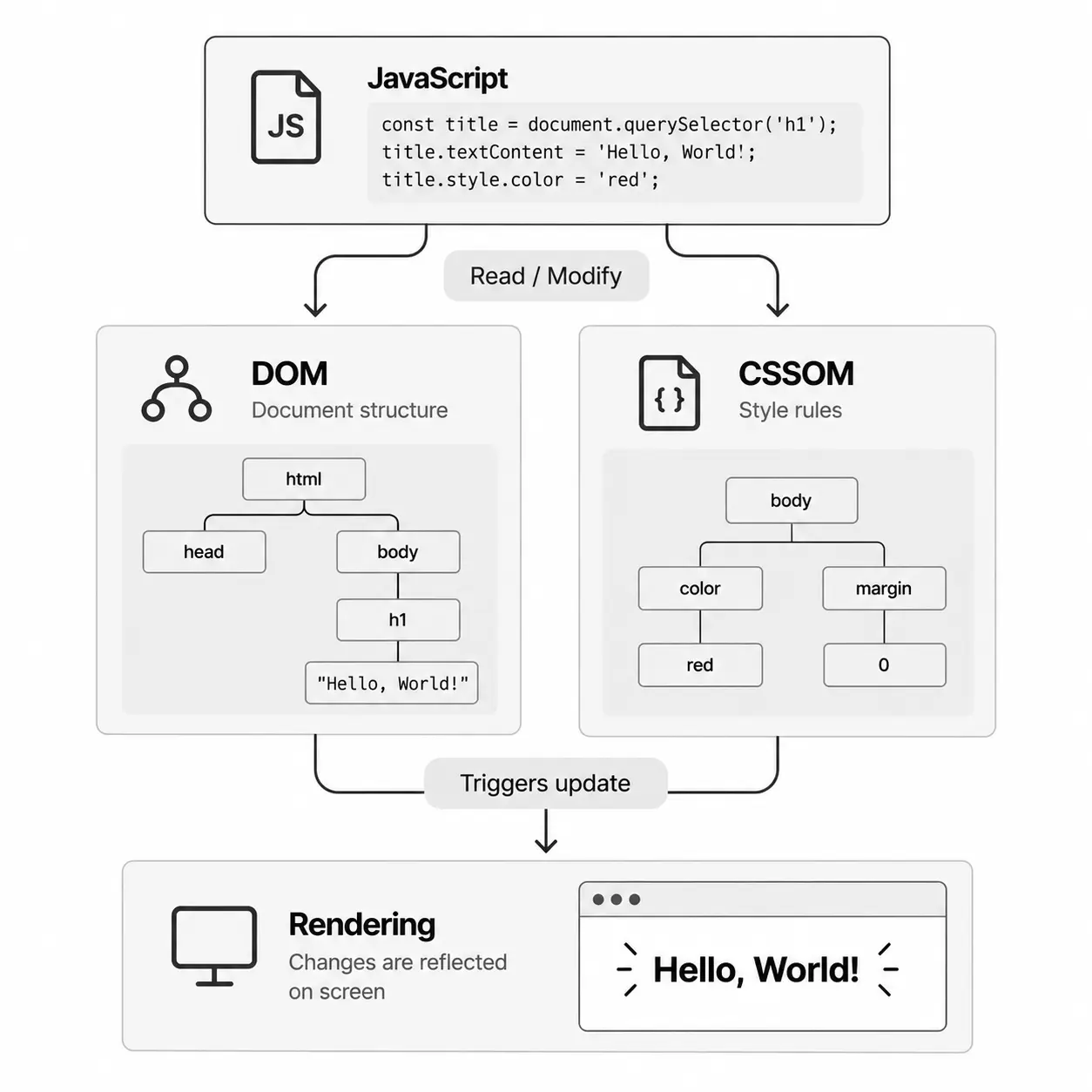
By default, a classic script without async or defer can block HTML parsing. When the browser encounters a <script> in the document, it must pause DOM construction,
hand over control to the JavaScript runtime, and let the script execute before proceeding with DOM construction.
This blocking behavior exists because JavaScript allows us to modify just about every aspect of the page: content, styling, and its response to user interaction.
A normal script,
<script src="/app.js"></script>
can interrupt parsing while the script is fetched and executed.
With defer,
<script src="/app.js" defer></script>
the script downloads without blocking HTML parsing and executes after HTML parsing has completed, before DOMContentLoaded. Deferred classic scripts also preserve their document order.
With async,
<script src="/app.js" async></script>
the script downloads independently and executes when ready, so execution order relative to other async scripts isn't guaranteed.
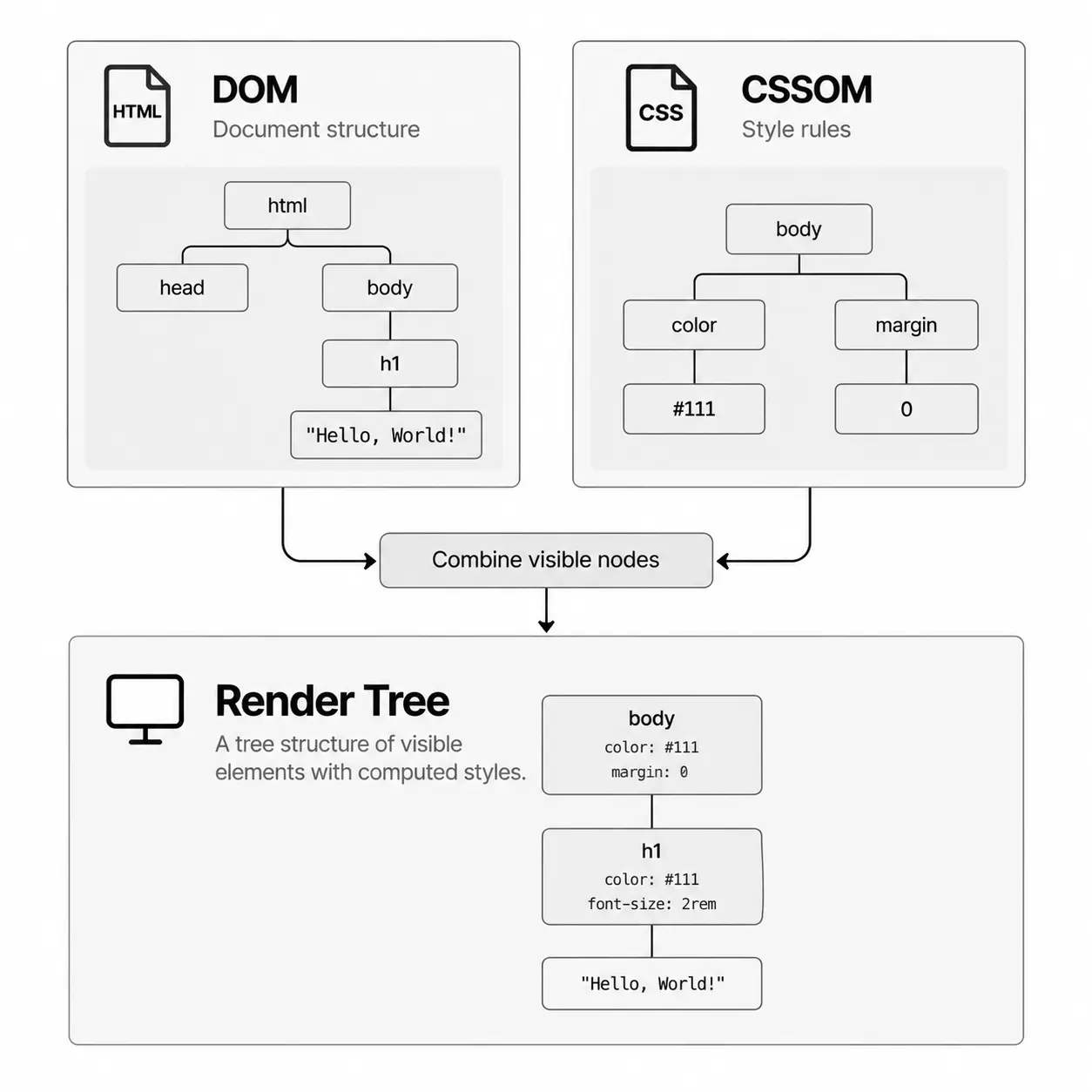
Constructing the Render Tree
To construct the render tree, the browser roughly does the following:
- Starting at the root of the DOM tree, traverse each visible node.
- Some nodes are not visible (for example, script tags, meta tags, and so on) and are omitted since they are not reflected in the rendered output.
- Some nodes are hidden using CSS and are also omitted from the render tree — for example, elements with
display:none.
- For each visible node, find the appropriate matching CSSOM rules and apply them.
- Emit visible nodes with content and their computed styles.
Generating the layout
In this step, we calculate the exact position and size of each node within the viewport of the device. That's the "layout" stage, also known as "reflow".
To figure out the exact size and position of each object on the page, the browser begins at the root of the render tree and traverses it.
Let's consider an example:
<html>
  <head>
    <title>My Page</title>
  </head>
  <body>
    <div>
      <p>Hello, World
      </p>
    </div>
  </body>
</html>
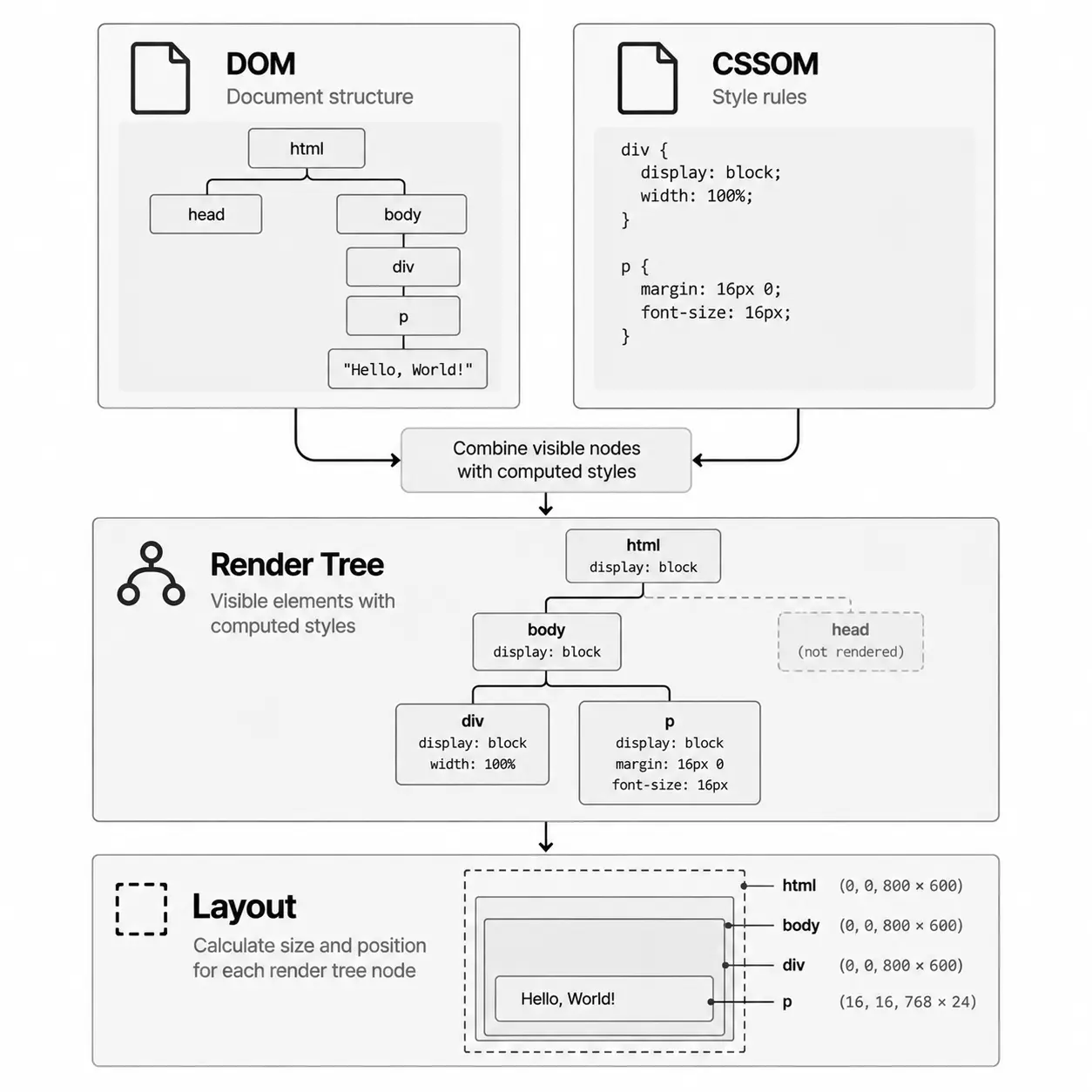
The output of layout contains the geometry of each element — its calculated size and position within the viewport.
Paint and Compositing
With layout in place, the browser now determines how each element should be visually drawn. It takes the geometry from layout together with visual styles and produces painting instructions for items such as backgrounds, text, borders, shadows, and images. This process is known as paint.
Modern pages can be split into multiple compositing layers. Painting instructions are rasterized into pixels, potentially across multiple layers. The compositor then combines these layers in the correct order to produce the final image displayed on the screen.
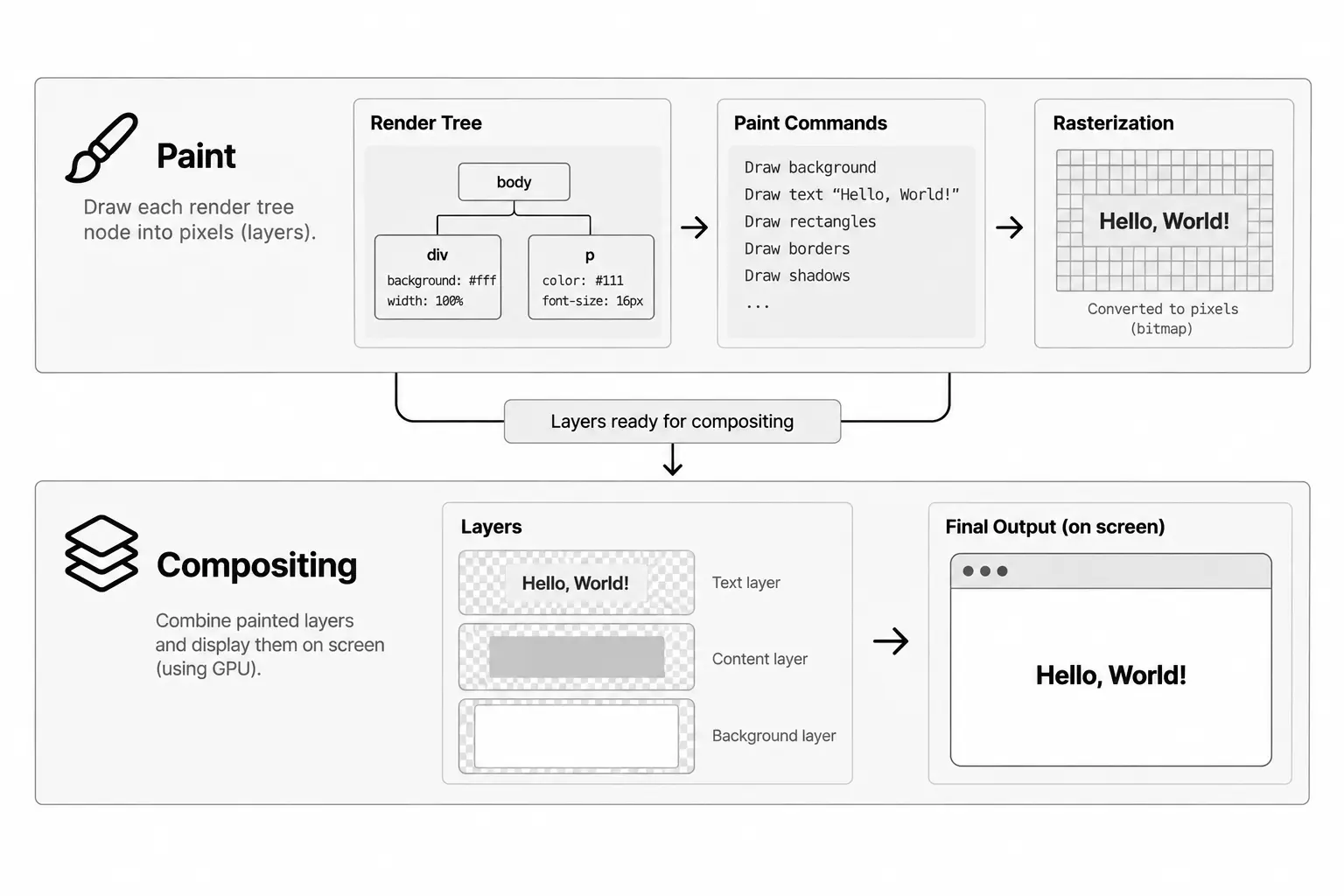
At this point, the browser has transformed the HTML and CSS into the pixels we see on the screen.
What started as HTML and CSS has gone through several stages — DOM and CSSOM construction, Render Tree creation, Layout, Paint, and Compositing — to produce the final rendered page.
JavaScript can influence this process along the way by modifying the DOM or styles, potentially causing parts of the rendering pipeline to run again.
Quick Summary
Let's quickly summarize the browser's rendering process:
- Process the HTML and construct the DOM.
- Process the CSS and construct the CSSOM.
- Execute JavaScript that may modify the DOM or styles.
- Combine the DOM and computed styles to construct the render tree.
- Run Layout to calculate the size and position of each element.
- Paint the elements and rasterize the painting instructions.
- Composite the layers to produce the final pixels on the screen.
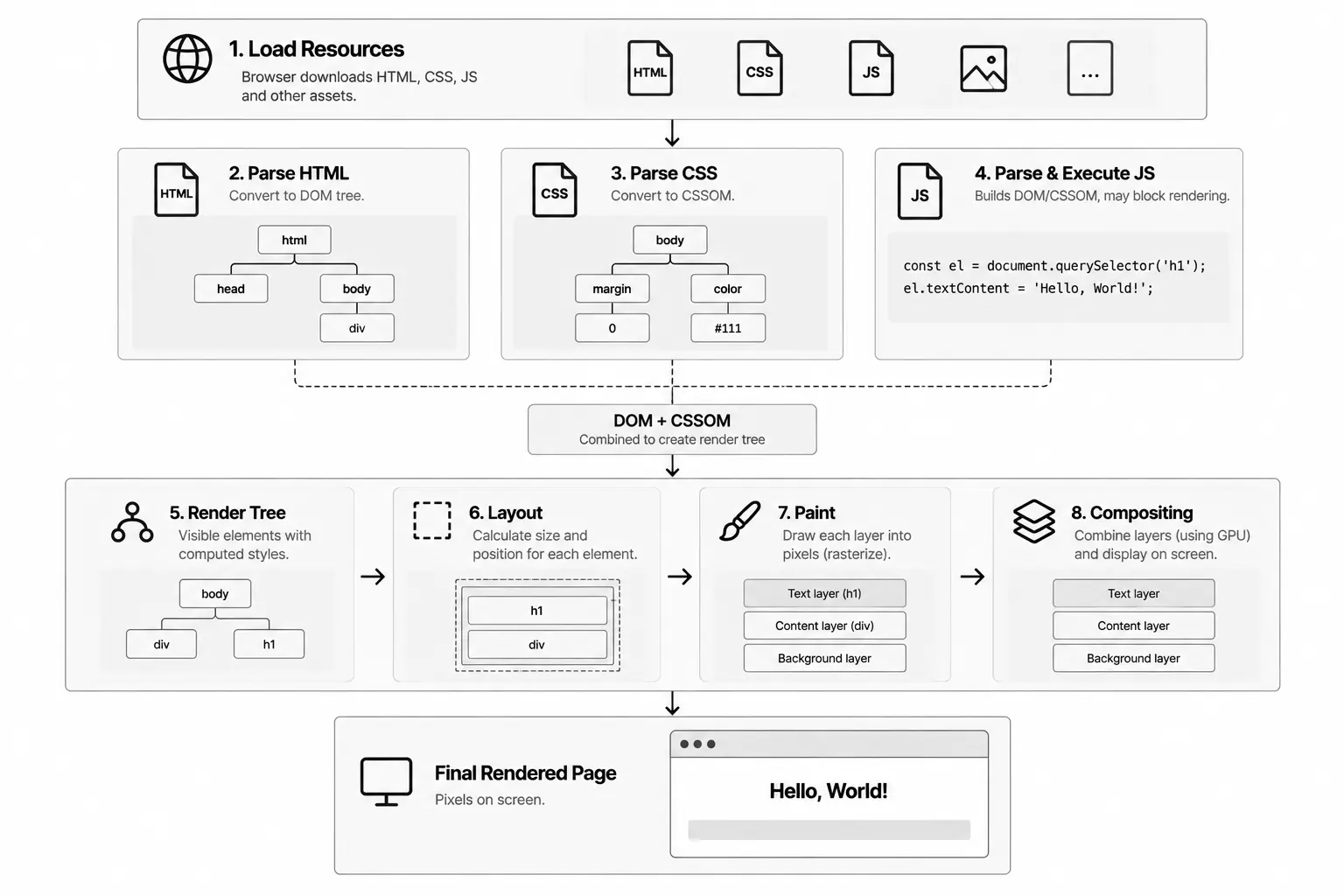
Understanding the Critical Rendering Path gives us a clearer picture of what happens between receiving a page's resources and seeing the final pixels on the screen.
More importantly, it helps us understand where rendering can be delayed and why certain resources have a greater impact on page performance than others.
With this mental model in place, it becomes much easier to reason about rendering behavior and make better performance decisions when building frontend applications.
The next step is putting this understanding into practice. In Optimizing the Critical Rendering Path, we'll look at practical ways to reduce rendering delays and improve page performance.
On this page
Author
Farhan Halai
Topics
Share